VxWorks Programming Guide: Hello World for Beginners
🚀 Introduction #
VxWorks is one of the most widely used real-time operating systems (RTOS), powering mission-critical systems across aerospace, industrial automation, automotive, and medical devices.
This beginner-friendly guide introduces the fundamentals of VxWorks programming, starting with a simple Hello World example.
In this tutorial, you will learn:
- What VxWorks is and why it matters
- How tasks work in a real-time system
- How to write and run your first VxWorks program
- A detailed breakdown of the code
🔎 What is VxWorks? #
VxWorks is a deterministic RTOS developed by Wind River, designed for systems where timing, reliability, and performance are critical.
Key Characteristics #
- Deterministic execution — predictable timing behavior
- High reliability — used in safety-critical systems
- Scalability — from small embedded devices to complex platforms
Common Use Cases #
- Aerospace and defense systems
- Industrial controllers
- Automotive ECUs
- Medical devices
🧩 Core Concepts You Need to Know #
Before writing code, it’s important to understand a few core RTOS concepts:
Task #
- The basic unit of execution in VxWorks
- Similar to a thread in other operating systems
Priority-Based Scheduling #
- Preemptive scheduler
- Lower numeric value = higher priority
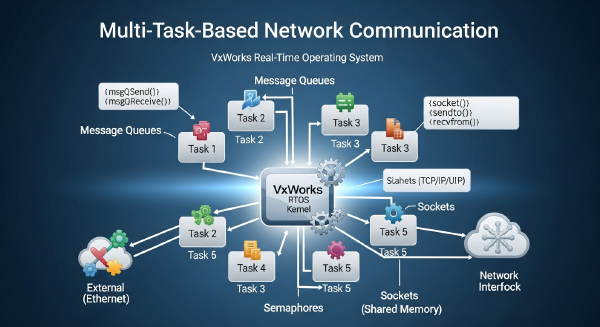
Inter-Task Communication #
- Mechanisms include:
- Semaphores
- Message queues
BSP (Board Support Package) #
- Hardware abstraction layer
- Bridges the OS with your target hardware
💻 Your First VxWorks Program #
Let’s write a simple program that prints:
Hello, VxWorks world!Code Example #
#include <vxWorks.h>
#include <taskLib.h>
#include <stdio.h>

// Define a simple task function
void helloTask()
{
    printf("Hello, VxWorks world!\n");
}

// Entry point: called when the system boots
void usrAppInit(void)
{
    taskSpawn(
        "tHello",            // Task name
        100,                 // Priority (lower = higher priority)
        0,                   // Options (default)
        2000,                // Stack size (bytes)
        (FUNCPTR)helloTask,  // Task entry function
        0,0,0,0,0,0,0,0,0,0  // Arguments
    );
}
📝 Code Walkthrough #
1. Header Files #
vxWorks.h→ Core OS definitionstaskLib.h→ Task management APIsstdio.h→ Standard I/O functions
2. Task Function #
void helloTask()- Defines the work executed by the task
- Prints a message to the console
3. Application Entry Point #
void usrAppInit(void)- Called automatically after system initialization
- Used to start application-level logic
4. Creating a Task with taskSpawn
#
Key parameters:
- Name →
"tHello" - Priority →
100 - Stack size →
2000 bytes - Entry function →
helloTask
Important Rule #
Lower priority number = higher execution priority
⚡ How to Run the Program #
- Build the project using your VxWorks toolchain
- Download it to your target board or simulator
- Boot the system
Expected Output #
Hello, VxWorks world!⚠️ Common Beginner Mistakes #
- Missing
taskLib.h(required fortaskSpawn) - Using too small a stack size
- Misunderstanding priority values
- Forgetting that tasks run concurrently
✅ Summary #
You’ve just completed your first VxWorks program.
What You Learned #
- Basics of VxWorks and RTOS design
- How tasks are created and scheduled
- How to write and execute a simple program
🔜 What’s Next? #
In the next tutorial, you’ll explore:
- Creating multiple tasks
- Task priorities in action
- Preemptive scheduling behavior
Understanding these concepts is essential for building real-time, deterministic systems.
Reference: VxWorks Programming Guide: Hello World for Beginners